
Your goals live here now.
Your phone's wallpaper is the most-seen surface in your life. TaskWall makes it your most powerful one, beautiful templates, effortless tasks, and live stats that update automatically.
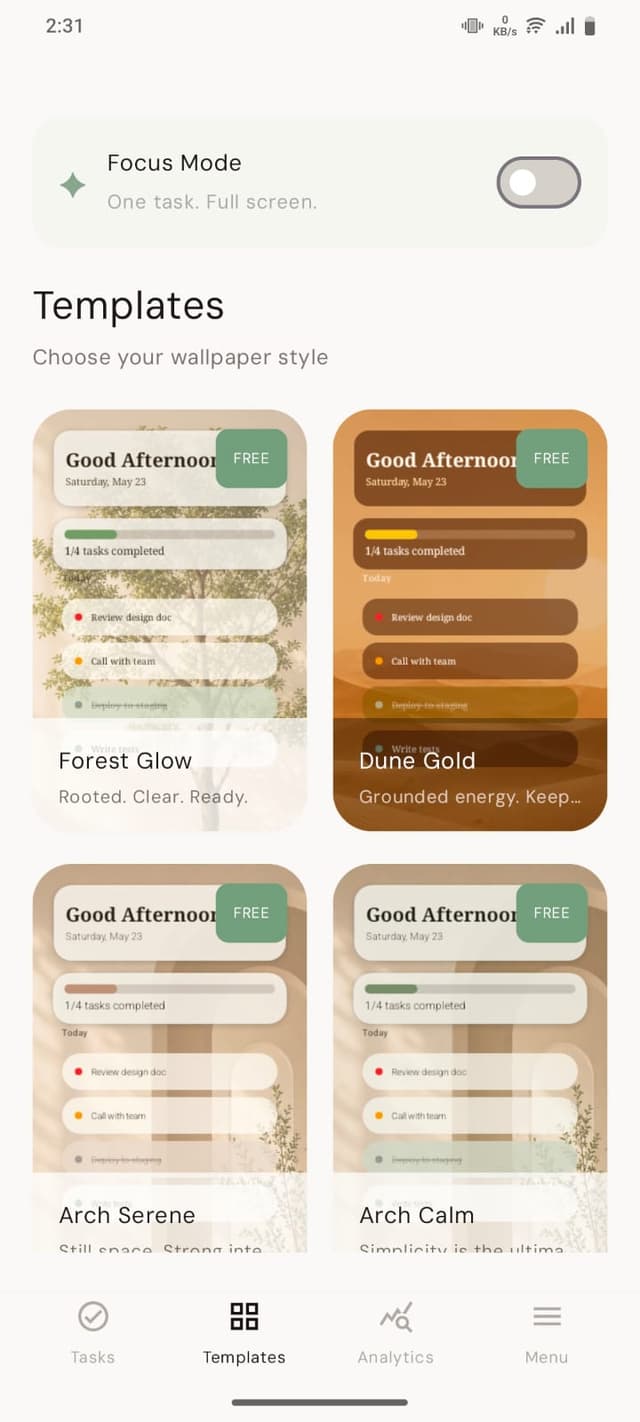
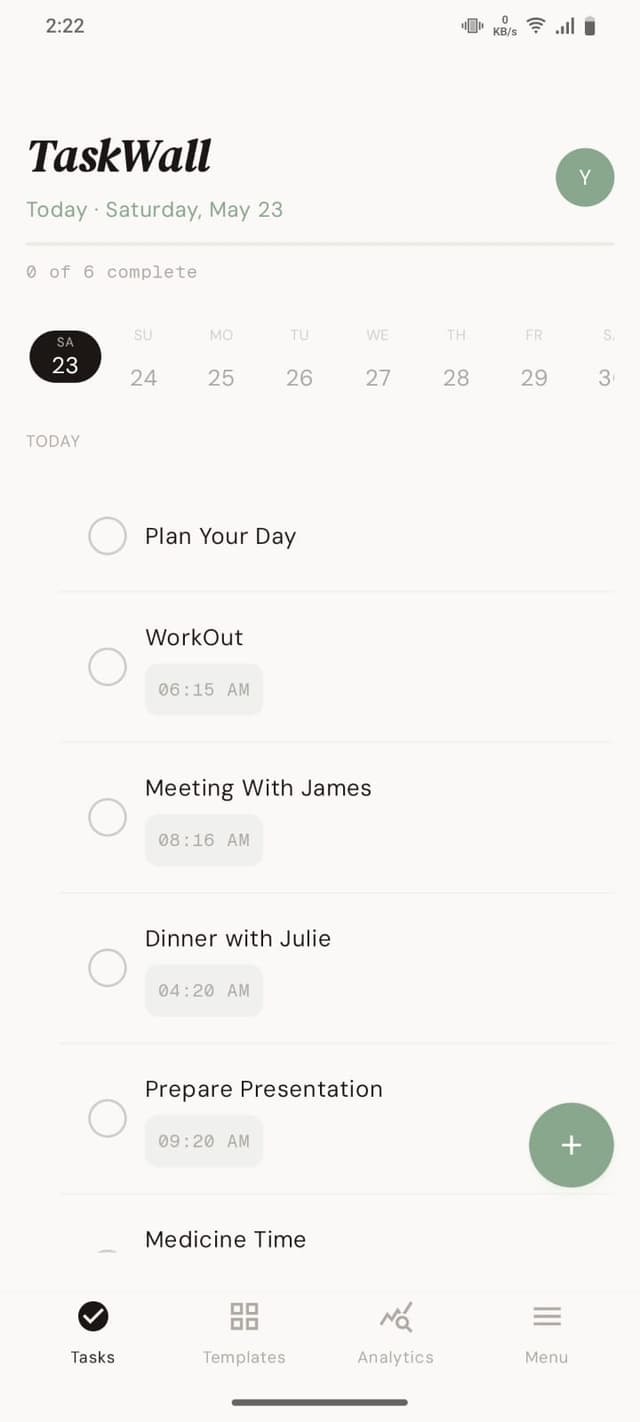
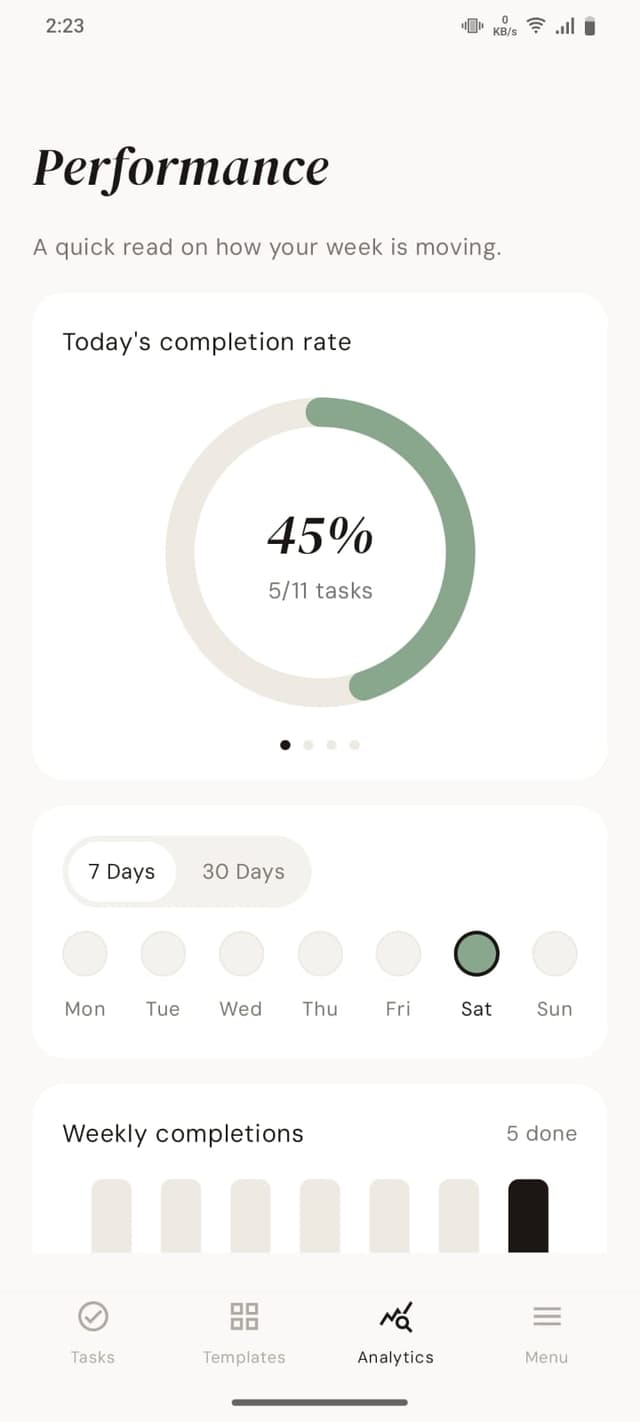
Tasks on your wallpaper
No app to open. Your to-do list renders straight onto your home and lock screen, full resolution.
Auto-refreshing
Tick something off and your wallpaper updates itself. Always current, never stale.
Quick capture
Type it or speak it, "call dentist tomorrow at 2pm" becomes a scheduled, categorized task.
Actually private
Your goals, your data, never sold, never shared.
Everything you need. Nothing you don't.
Build your own command center
Every element is a widget you control, drag it, resize it, configure it.
Task List with checkboxes and priority dots, Date & Time with a personalised greeting, Progress rings and bars, Streak & Stats, Countdown, Habit Tracker, Focus Timer, Motivational Quote, and Custom Text. Mix and match to build the home screen of someone who actually gets things done.
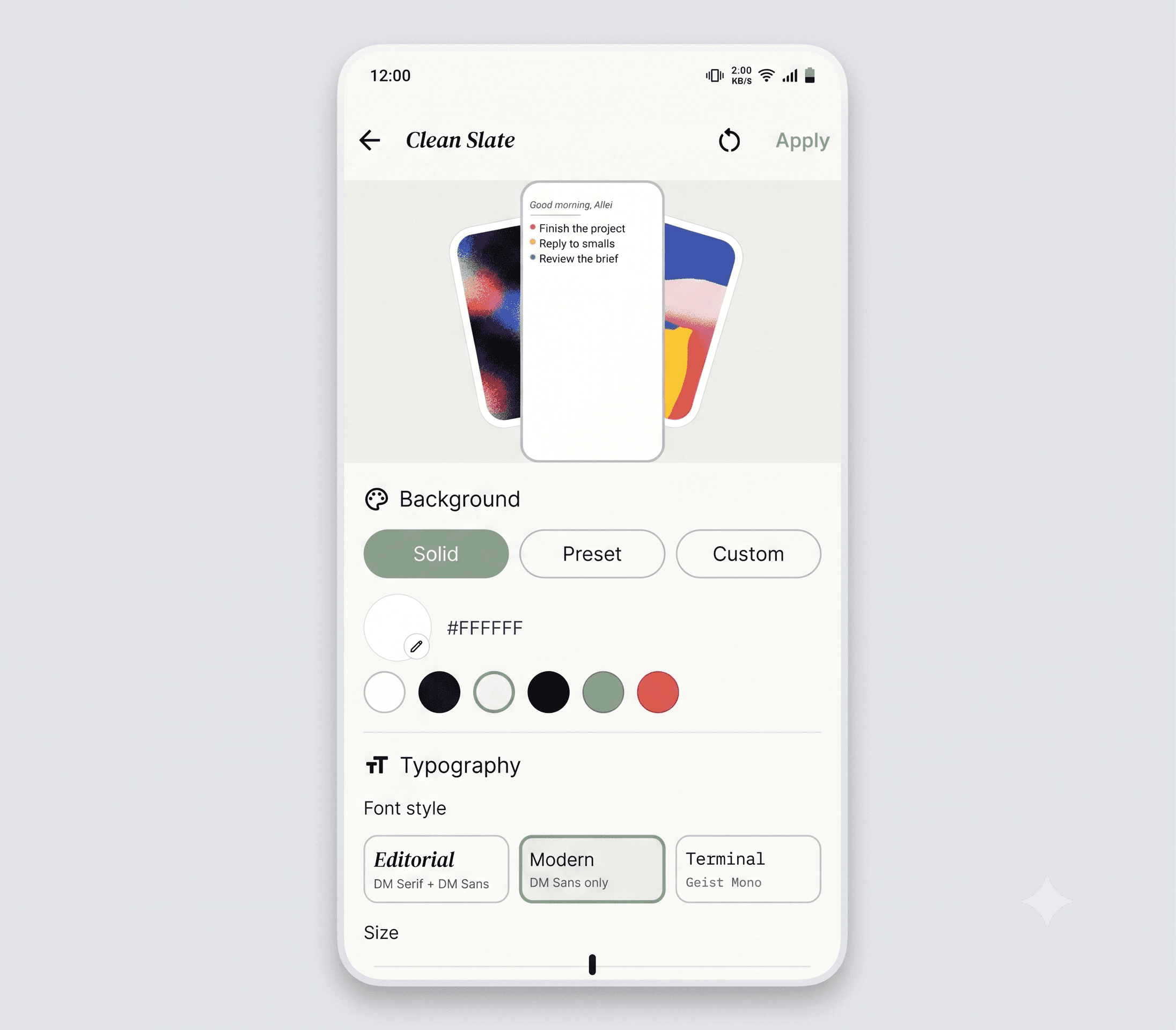
Ten moods, one goal
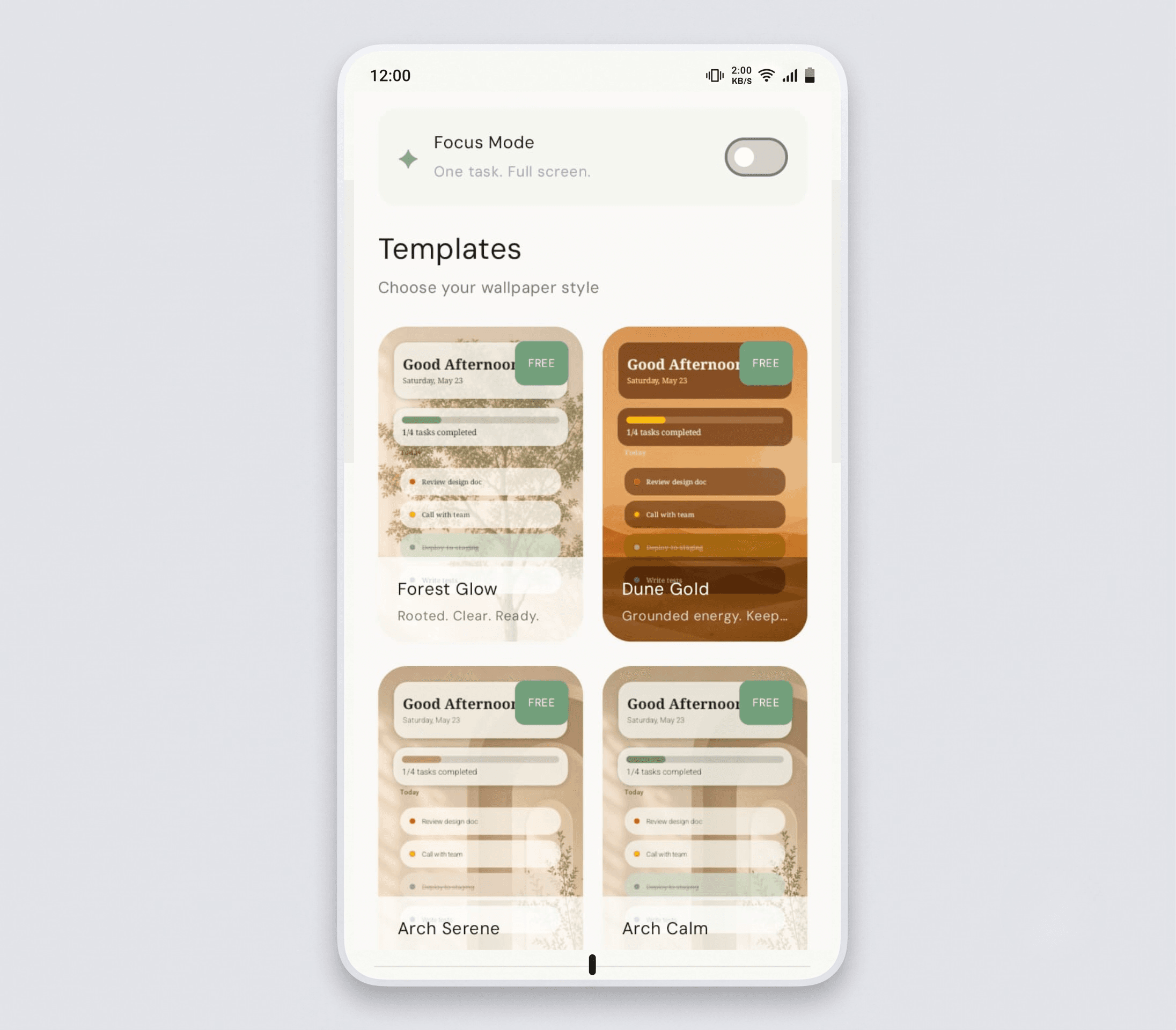
Pick the wallpaper that matches your energy, and schedule it to change with your week.
Clean Slate, Dark Focus, Gradient Zen, Neon Grid, Pastel Planner, Nature Calm, Bold Board, Retro Pixel, Mono Type, Glass Morph. Set a different template for each day, Monday gets Bold Board, Friday gets Glass Morph.
The details that make daily use feel right.
Smart carry-forward
Uncompleted tasks roll to the next day automatically. Nothing falls through the cracks.
Recurring tasks
Daily standup, weekly review, monthly goals, set them once and forget them.
Light & dark templates
AMOLED black for battery life, or bright minimal white for pure focus.
Long-term goals
Connect today's tasks to the milestones that matter over months and years.
Special dates
Birthdays, anniversaries, deadlines, TaskWall reminds you well in advance.
One-tap export
Pull a full performance report as a PDF whenever you want the bigger picture.
A productivity system tailored to the way you actually live.
Other apps
An icon you forget to tap
You spend more energy remembering to open it than using it.
Generic reminders
Notifications you swipe away before you've even read them.
Bolt-on extras
Features that feel foreign to your existing workflow.
Static wallpapers
A pretty background that does absolutely nothing for your day.
Setup before you start
Tutorials, templates, and onboarding before you can add a task.
TaskWall
Always in view
Your three most important tasks, every time you pick up your phone.
Built for daily use
Capture a task in seconds and get a clean, structured list straight away.
Ambient accountability
Streaks, stats, and progress rendered right where you'll actually see them.
Beautiful by design
Ten fully designed templates, not a widget slapped on a background.
Set up in thirty seconds
Pick a template, add your first task. That's the whole onboarding.
TaskWall keeps things simple, capture a task, organise it, and let it carry forward automatically. That's it. You're always in control of what shows up on your screen.
Used by people who actually finish their lists.
“I've tried Todoist, Notion, sticky notes, everything. TaskWall is the first one that survived past week two. It just shows up.”

Maya R.
Product designer
“The carry-forward feature alone changed how I plan my week. Nothing quietly disappears anymore.”

Owen K.
Grad student
“Switched from a sticky-note wall six weeks ago. Haven't looked back.”

Sasha L.
Founder
“I've tried Todoist, Notion, sticky notes, everything. TaskWall is the first one that survived past week two. It just shows up.”
Maya R.
Product designer
“Voice capture on my commute, cleaned up automatically. I land at my desk with the day already planned.”

Devon P.
Software engineer
“My whole study schedule lives on my lock screen now. Streaks keep me honest in the best way.”
Owen K.
Grad student
“Switched from a sticky-note wall six weeks ago. The setup time alone was worth it.”
Sasha L.
Founder
“I've tried Todoist, Notion, sticky notes, everything. TaskWall is the first one that survived past week two. It just shows up.”
Maya R.
Product designer
“Voice capture on my commute, cleaned up automatically. I land at my desk with the day already planned.”
Devon P.
Software engineer
“My whole study schedule lives on my lock screen now. Streaks keep me honest in the best way.”
Owen K.
Grad student
“Switched from a sticky-note wall six weeks ago. The setup time alone was worth it.”
Sasha L.
Founder
Start free. Go deeper when you're ready.
Free plan
$0
/forever- Clean Slate + Dark Focus templates
- Task List, Date & Time, Progress widgets
- Unlimited tasks
- Quick capture in plain English
- Mobile + desktop sync
Premium plan
Save 37% yearly$3.99
/monthEverything in Free, plus:
- All 10 templates
- All 9 widgets incl. Streaks, Habit Tracker, Focus Timer
- Smart prioritisation and breakdown tools
- Custom photo backgrounds
- Template scheduling by day of week
Yearly plan
Best value$29
/yearEverything unlimited:
- Every template, widget, and tool, unlimited
- All Premium features included
- Lower than 6 months of Premium, billed once a year
Prefer to pay once? Lifetime is $59.99, own it forever. Export your data anytime. Cancel whenever.
Your goals deserve somewhere you'll actually look.
Get started in three easy steps today.
Download the app
Available on iOS and Android. One account, every device.
Pick a template
Ten fully designed wallpaper styles, choose the one that matches your energy.
Add your first task
Type it, or just say it out loud. TaskWall builds the rest.
Most people see their first auto-updating wallpaper within ten minutes of signing up.
Good questions.
Is the free plan actually useful?
Yes, unlimited tasks, two templates, three widgets, quick capture in plain English, and full cross-device sync. Most people run on Free for a long time before upgrading. Premium is for when templates and widgets become part of your daily rhythm.
Is my data private?
Yes. Your tasks and goals stay yours, never sold, never shared, and never used to train anything else.
What happens to my tasks if I cancel Premium?
Nothing gets deleted. You drop back to Free plan limits, extra templates and widgets pause, but every task and goal stays exactly where it is. Export everything, anytime.
Does it work offline?
Fully. Add and complete tasks without a connection, TaskWall syncs the moment you're back online, and your wallpaper still refreshes on schedule.
How is this different from a normal to-do app?
A normal to-do app is something you have to remember to open. TaskWall puts your goals on the one screen you check 80+ times a day, your wallpaper, so there's nothing to remember.
Can I bring my tasks from another app?
Yes. Import from most major to-do and notes apps via their export format, or start fresh, either way takes about two minutes.